Honestly gaming consoles are a huge part of entertainment now for players of basically all ages. If you love competitive online gaming, sports games, or those long story kind of adventures, a damaged console can mess up your whole routine fast. Most gamers end up seeing stuff like HDMI failures, overheating, disk read errors, or random power issues. And yeah, replacing an expensive device is not the vibe , so professional repair services usually bring your console back quickly and often at a price that feels more reasonable.
When you pick dependable game console repair services, you’re not only fixing the problem. You’re also avoiding that long downtime and protecting what you already paid for. Technicians can spot hardware problems, swap damaged parts, and get your system running smoothly again. In places like Wichita, repair specialists are helping gamers stretch the life of their consoles while spending less than they would on a replacement.
Common Problems Found in Gaming Consoles
Modern gaming consoles are advanced electronic devices, but inside they’re kinda delicate. Over time regular use, accidental drops, or overheating can create real technical issues. Some problems show up slowly, but others pop up suddenly like you did something wrong , even when you didn’t.
HDMI Port Damage
A damaged HDMI port is one of the most common issues. You might see a blank screen, flickering video, or your TV just says no signal. This usually happens because of bent pins, loose cables, or force from people removing cords too aggressively , sometimes without noticing they’re stressing the port.
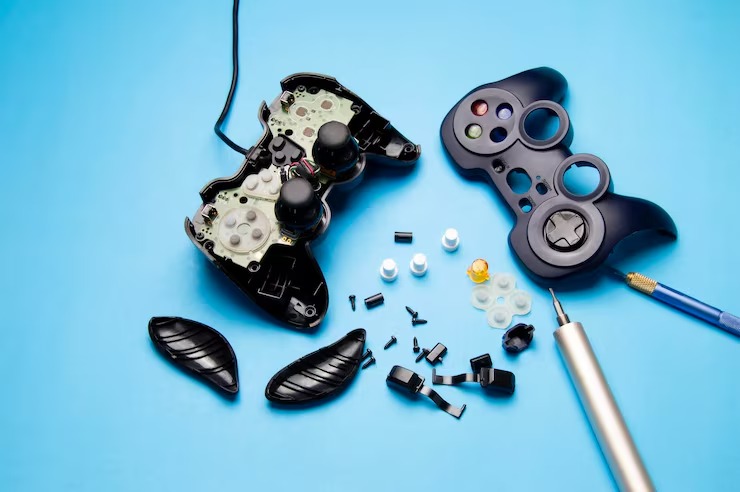
With the right tools, professionals can swap a damaged HDMI port and restore proper video output, without messing up other internal parts.
Overheating Problems
Consoles run hot during gaming sessions. Dust piles up inside the cooling fan and vents, and that reduces airflow. If overheating keeps going, it can damage internal hardware and it can also lower performance over time.
Common signs include:
- Loud fan noises
- Sudden shutdowns
- Lag during gameplay
- Error warnings
Simple routine cleaning and thermal care can prevent a bunch of these issues and help the console keep going longer.
Disk Drive Malfunctions
Disk drive trouble can stop games from loading correctly. You might hear scraping sounds, notice the disk is not recognized, or feel like disks get stuck inside. Those symptoms often point to internal drive damage.
Repair pros can replace faulty disk drives and recalibrate parts so the console reads games properly again.
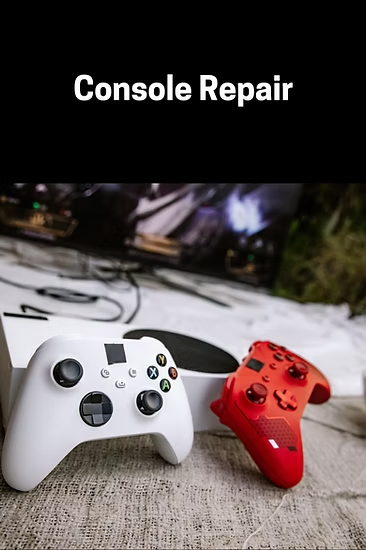
Why Professional Console Repair Is Better Than DIY Fixes
A lot of people look up online tutorials and try to repair consoles at home. Some cleaning steps are manageable, but once you get into hardware repairs you really need experience and the proper equipment.
Trying anyway can lead to:
- Permanent motherboard damage
- Broken connectors
- Voided warranties
- Higher repair costs later, which is the worst part
Professional technicians run accurate diagnostics with specialized tools. That means safer repairs and better results, instead of guesswork.
Popular Consoles That Often Need Repairs
Different consoles have different designs, so the technical problems can vary based on usage patterns and wear.
PlayStation 5 Repairs
The PlayStation 5 is powerful, but some users still run into HDMI trouble, overheating, or software crashes. A solid ps5 repair service can fix damaged ports, cooling system issues, and internal hardware faults in a more efficient way.
Xbox Console Repairs
Xbox systems may face power supply failures, disk reading problems, or network connectivity issues. With skilled troubleshooting, technicians can identify the cause and bring normal gaming performance back.
Nintendo Switch Repairs
Nintendo Switch consoles often struggle with charging port damage, Joy-Con drift, and screen issues. Repair services can replace worn components and help improve handheld performance for day to day play.
Signs Your Console Needs Immediate Repair
If you ignore small symptoms, it can get sketchy fast. You know, that “not a big deal” feeling, until it turns into something more costly later. Catch the early warning signs and you can dodge serious damage, or at least slow it down.
Frequent Freezing or Crashing
When your console locks up mid game, or it powers down without warning, that often points to internal parts getting too hot, or just starting to fail.
Unusual Noises
Any grinding sounds, or a fan that suddenly sounds too loud, can be a sign of cooling problems, or even damage inside the console.
Slow Loading Times
If titles start taking forever to load, that can indicate a storage bottleneck, or the disk drive giving up.
No Video Output
If you see a black screen, or “No Signal” shows up, it usually comes back to HDMI troubles, or sometimes motherboard issues.
Getting professional help early can prevent those problems from turning into bigger ones, sooner than you think.
Benefits of Choosing Expert Repair Services
Choosing expert repair services has real advantages over just buying a replacement unit, and honestly it usually feels less stressful.
Cost Savings
Most of the time, fixing a console costs way less than getting a whole new one. Repairing small components can bring everything back to normal, without draining your wallet.
Faster Turnaround Time
A good repair center can often diagnose what’s wrong quickly, and handle the fixes fast, so you’re back to gaming sooner.
Improved Console Lifespan
With routine care plus timely fixes, your console can last longer and keep performance more consistent.
Reliable Diagnostics
Professionals don’t just throw parts at the issue. They find the real cause, so there’s less need for unnecessary replacements.
Tips to Protect Your Gaming Console
Preventive care can lower repair needs and keep performance better.
Keep the Console Clean
Dust blocks cooling airflow. Regularly clean vents, and keep your console in a dust free spot.
Avoid Overheating
Place the console in an open area with good airflow. Don’t block ventilation openings, even a little.
Handle HDMI Cables Carefully
Don’t force HDMI cables into the port. Gentle handling reduces the chance of connector damage.
Use Surge Protection
Power surges can harm internal components. Using a surge protector helps protect the console from electrical problems.
Picking the Correct Repair Service in Wichita
Not every repair shop brings the same know how. Before choosing , a repair service, gamers might want to look at a few things like , how long they’ve been doing it. Also check if theyve worked with multiple console brands, see whether customer feedback seems genuine, and confirm there’s a warranty on the fixes. Transparent pricing matters too, since surprise fees are a real headache. And of course the turnaround times should be fairly quick, not weeks later, kind of thing.
Trusted repair specialists in Wichita also know that gaming gear isn’t just “electronics” it’s where you actually spend your time, so quick service with steady workmanship is the expectation, not a bonus.
Conclusion
Gaming consoles are pretty valuable entertainment systems, and they really do deserve proper care and maintenance. When issues pop up—things like HDMI damage, overheating, or a disk drive that won’t spin—gameplay gets paused and frustration shows up fast. A professional repair service can end up being a smarter, cost-friendly option, because it can bring your console back to good performance without forcing a complete replacement.
Whether it’s a PlayStation or an Xbox system, or even Nintendo Switch devices, skilled technicians can troubleshoot and fix a broad set of problems safely and without dragging things out. Going with experienced professionals helps gamers spend less , reduces downtime, and helps stretch out the life of the gaming system you actually care about.
Frequently Asked Questions
1. How long does game console repair usually take?
Most game console repairs can be completed within one to three days, depending on the issue and replacement part availability.
2. What causes HDMI port damage on gaming consoles?
HDMI ports are often damaged by loose connections, bent pins, accidental cable force, or frequent plugging and unplugging.
3. Can overheating damage a gaming console permanently?
Yes, long-term overheating can damage internal hardware components like the motherboard, cooling system, and processor if not repaired early.
4. Is it worth repairing an older gaming console?
In many cases, repairing an older console is more affordable than replacing it, especially if the damage is limited to smaller components.
5. How can I keep my gaming console in good condition?
Regular cleaning, proper airflow, careful cable handling, and using surge protection can help keep your gaming console running smoothly for longer.